Using LLM to transcribe image to text
How I used a local Qwen model to transcribe image to text

The Problem
I dont want to go into details, but I had this problem with PGS subtitles in some movies lately. PGS subtitles are image based subtitles, which are meant to be used with dedicated DVD/Bluray players. They play mostly fine on PC, but when you stream them to some thinclient, or plex client, they dont work. These mostly expect a subtitle file, not an image.
Initial attempt
So I decided to make a little tool to convert these subtitles to text. Initially, I tried some OCR solutions based on tesseract, but they were not very accurate. The problem is, tesseract seems to work with some dictionary file, and the subtitles I was trying to convert had mixed language. So I didnt get very far with that.
OCR examples

Ground Truth:
ヒル・バレー新聞
ブラウン屋敷跡が団地に
Method: Default
- Time: 8.7353s
- Accuracy: 0.8889
- Result:
ヒル・バレー新聞
“ブラウン屋敷跡が団地に”
99
Method: Scale2x_Padding
- Time: 9.2965s
- Accuracy: 0.8085
- Result:
ヒル・バレー新聞
“ブラウン屋敷跡団地に”
66
66
Method: Scale3x_Padding
- Time: 12.0736s
- Accuracy: 0.8889
- Result:
ヒル・バレー新聞
“ブラウン屋敷跡が団地に”
95
Method: Scale4x_Padding
- Time: 15.5115s
- Accuracy: 0.9091
- Result:
ヒル・バレー新聞
−
“ブラウン屋敷跡が団地に”
Ground Truth:
アインシュタインMethod: Default
- Time: 5.9819s
- Accuracy: 0.7368
- Result:
アインシタイン”
99
Method: Scale2x_Padding
- Time: 8.5347s
- Accuracy: 0.1176
- Result:
Y
ソシ
6
99
Method: Scale3x_Padding
- Time: 11.1741s
- Accuracy: 0.7778
- Result:
アインシタイン
39
Method: Scale4x_Padding
- Time: 19.5140s
- Accuracy: 0.6316
- Result:
アインツユタ
イン
3
Ground Truth:
アインシュタインMethod: Default
- Time: 5.9819s
- Accuracy: 0.7368
- Result:
アインシタイン”
99
Method: Scale2x_Padding
- Time: 8.5347s
- Accuracy: 0.1176
- Result:
Y
ソシ
6
99
Method: Scale3x_Padding
- Time: 11.1741s
- Accuracy: 0.7778
- Result:
アインシタイン
39
Method: Scale4x_Padding
- Time: 19.5140s
- Accuracy: 0.6316
- Result:
アインツユタ
イン
3
OCR example: プルトニウム
Ground Truth:
プルトニウムMethod: Default
- Time: 6.4305s
- Accuracy: 0.7143
- Result:
:
“プルトニウ
Method: Scale2x_Padding
- Time: 8.4749s
- Accuracy: 0.6250
- Result:
:
“プルトニウ
:
Method: Scale3x_Padding
- Time: 11.3390s
- Accuracy: 0.0000
- Result:
:Method: Scale4x_Padding
- Time: 19.2174s
- Accuracy: 0.7500
- Result:
“プルトニウム”
5
The Solution
I was exploring alternatives and I realised I can use a local LLM to transcribe the text. I made some initial tests with LM studio. Accuracy was spot on, but it was quite slow. I waited for like … 3-4 minutes for 3 images.
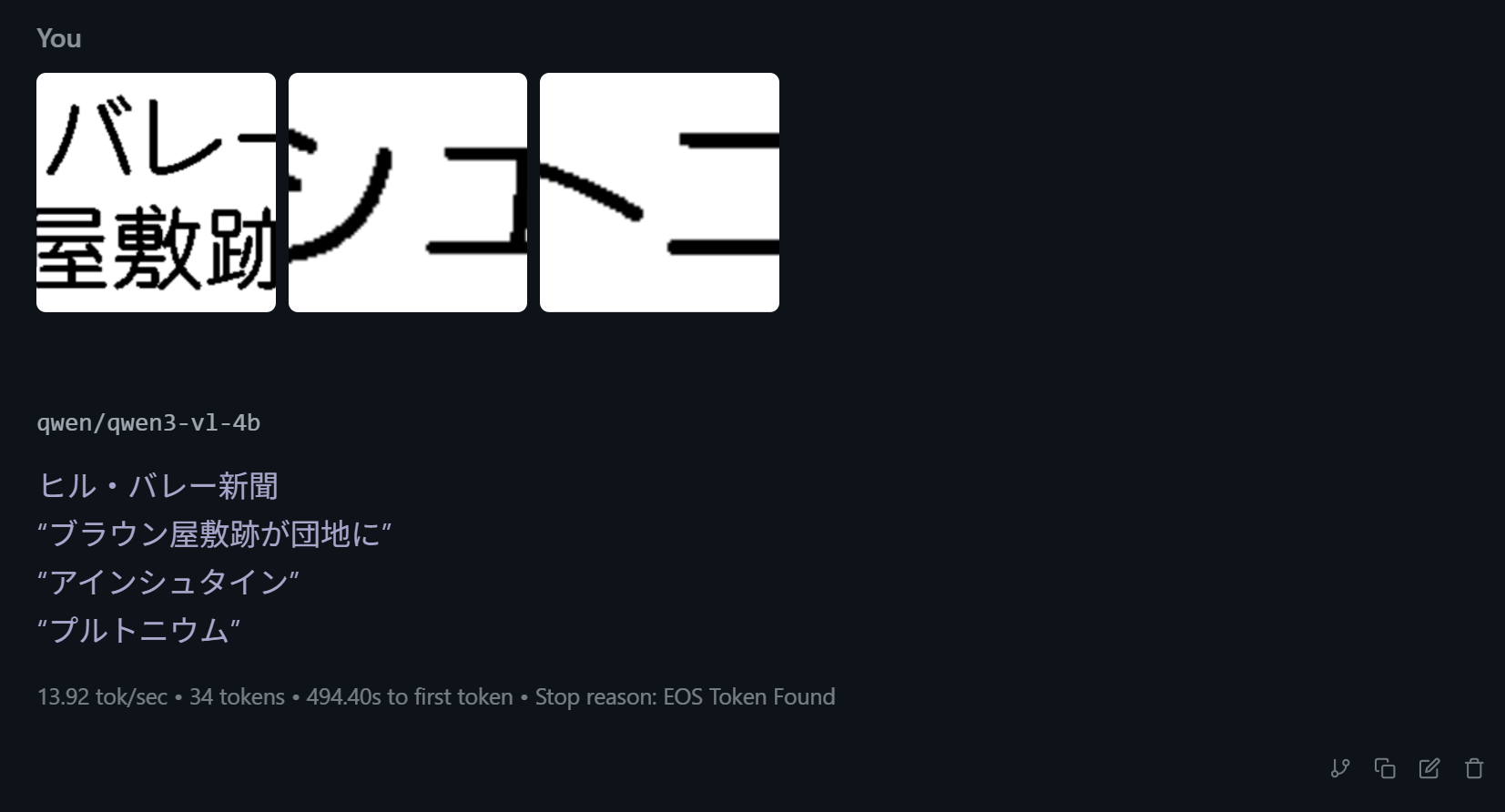
So I did some research and found out I can speed up the process with parallelization. I used vllm to fire up a Qwen/Qwen2-VL-7B-Instruct-AWQ . It is a 7B model, and seems to be working fine on my 4070. After the initial loading, responses are much quicker. I had some problems with the prompt initially, this model seems to be chatty. Sometimes it gave me translations instead of transcription, or pronounciations. My final prompt looked something like this :
Transcribe the {language} text in this image exactly as it appears. Do not translate. Do not provide pronunciation or romaji. Output only the text in the original language.After some final touches, I was able to produce consistent results with no hallucation, ghost characters etc. Maybe what I did was little bit overkill, but it does what I want it to do. And this was a good opportunity for me to try vllm, and see model performance on local hardware.
related entriesshared tags