Setting up a triple boot Linux machine
How I turned one ThinkPad into a shared-home triple-boot setup with CachyOS, BunsenLabs, and Bazzite without letting them corrupt each other.
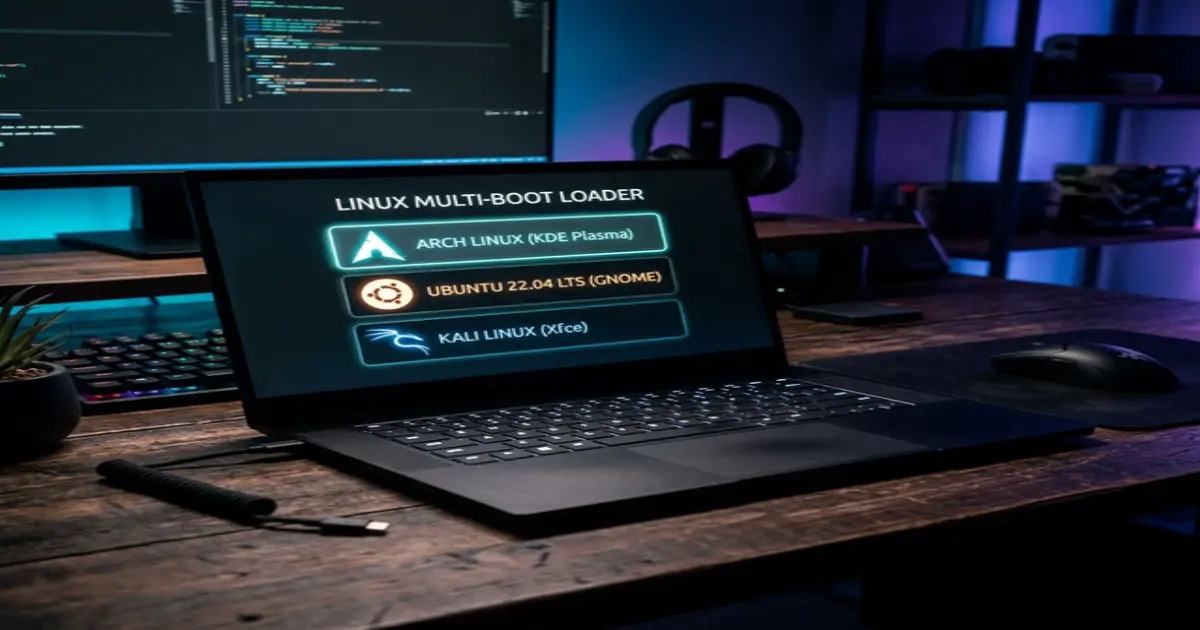
I spent today doing one of those jobs that sounds elegant in theory and deranged in practice: setting up a single laptop to boot three different Linux distributions while sharing one /home partition between all of them.
The machine now looks like this:
/              -> CachyOS
/mnt/bunsen    -> BunsenLabs
/mnt/bazzite   -> Bazzite
/home          -> shared across all three
The goal was straightforward enough. I wanted:
- CachyOS as the main daily-driver system
- BunsenLabs as the lean, hackable, low-distraction environment
- Bazzite as the gaming-focused install
- one shared home directory so my shell config, projects, wallpapers, browser profile, and general working state would follow me across reboots
That sounds clean. It is not clean. It is a pile of tiny assumptions made by three different operating systems, three packaging styles, multiple desktop environments, two boot paradigms, and one very patient ThinkPad.
By the end of the session, the machine was in a much better state. Bunsen went from half-broken curiosity to a fully usable desktop. CachyOS and Bazzite were brought back into alignment. Boot entries were corrected. Shared-home leakage was contained. Development tooling was standardized. Tailscale was made sane. The docked external-monitor workflow was fixed. And, because I clearly do not know when to stop, I also ended up tuning wallpapers, menus, fonts, audio latency, Docker Desktop, and Japanese input.
Why This Setup Is Hard
The biggest trap in a shared-home multiboot system is believing that “same user, same files” means “everything should just work.”
It does not.
What actually happens is that every distro leaves its fingerprints in your home directory:
- one system writes desktop launcher associations that only exist there
- another writes secret storage or keyring metadata in a format the others do not use
- one app comes from Flatpak, another from native packages, so they stop sharing state even when they look like the same application
- shell startup files drift
- login managers and power managers disagree about suspend behavior
- bootloader entries rot quietly in the background until the day you actually need them
The first job, then, was not “install things.” It was “figure out what is already lying to me.”
The Audit
The good news came first. The basic structural pieces were right:
- my user
ardawas1000:1000on all three systems - the shared home partition was mounted consistently
- Bazzite’s OSTree-style
/var/homelayout was correct
That mattered, because if UID/GID had drifted or the shared home had been mounted inconsistently, the whole setup would have been fundamentally unsafe.
The bad news was more interesting.
Bunsen had a stale swap UUID in fstab. The boot stack had drifted across multiple EFI entries and partitions. Shared dotfiles contained Bunsen-specific assumptions like x-terminal-emulator and bl-* desktop launchers that made sense on Debian but not on CachyOS or Bazzite. Shell startup was inconsistent across bash and zsh. Some ownership in the shared home was weird enough to become a problem later.
Nothing catastrophic. Just exactly the kind of low-grade configuration rot that eventually becomes catastrophic.
Cleaning Up the Shared Home
One of the first corrections was philosophical: if a file only makes sense on Bunsen, it should not live as a top-level shared default pretending to be universal.
So I moved the obvious Bunsen-only bits into a contained ~/.bunsen/ area and left symlinks only where Bunsen itself expected hardcoded paths. That stopped Bunsen-specific launchers and terminal assumptions from leaking into the other installs.
I also reset mimeapps.list to a neutral shared state and made Google Chrome the default browser via XDG association instead of relying on distro-specific desktop files. That small change removed a surprising amount of friction.
This turned out to be one of the big lessons of the whole operation:
A shared home works best when you treat it as a shared layer with explicit boundaries, not as a magical dumping ground where every distro can write whatever it wants.
Shells, Tooling, and the “Same Environment” Illusion
The shell side had a quieter but equally annoying problem. Bash and zsh were not loading the common login environment in the same way. Some sessions were reading ~/.profile, some were not. Some shells inherited one thing, some another.
That got normalized by aligning ~/.bash_profile, ~/.zprofile, and the common login flow so the shared environment is loaded consistently regardless of which shell starts first.
Then I standardized development runtimes with mise.
This was one of the better decisions of the day.
I wanted one runtime-management model for Python, Ruby, Node, and Go, but I did not want the actual interpreter installations to be physically shared across distros. That is how you end up debugging ABI weirdness at midnight.
So the final model became:
- shared config in
~/.config/mise - separate runtime directories per distro
~/.local/share/mise-bunsen~/.local/share/mise-cachy
That gave me a single workflow without pretending Debian-built and Arch-built runtimes are interchangeable artifacts.
Bootloader Reality
Boot was where the setup stopped being theoretical and started becoming adversarial.
Limine was already in place, but the actual menu and firmware state had drifted. Some entries were stale. Some were duplicated. Some pointed at the wrong partition. And the first attempt at making Bunsen boot “the elegant way” turned out to be wrong.
I initially tried to boot Bunsen directly from its Btrfs root by pointing Limine at the kernel path inside the Debian partition. That failed in practice. The lesson there was simple:
just because a path looks correct does not mean the bootloader can actually use that filesystem the way you think it can.
The correct model ended up being much simpler and much more robust:
- Limine directly boots CachyOS
- Limine chainloads Debian’s EFI loader for Bunsen
- Limine chainloads Fedora’s EFI loader for Bazzite
In other words: let each distro own the last mile of its own boot process.
That is a much saner architecture than trying to make one bootloader directly understand every downstream root layout forever.
Turning Bunsen Into a Real Desktop
Bunsen got the most attention because it was the roughest but also the most fun.
The laptop is usually docked to an external monitor with the lid closed. CachyOS handled that fine. Bunsen did not. It was suspending before LightDM even had a chance to come up. Once that was confirmed in the logs, the power-management stack had to be corrected at both the desktop and logind level.
Then came the display problem. The monitor did not advertise a useful 1440p mode to Bunsen, so I added a custom mode and eventually forced a proper external-only layout. Before that fix, apps behaved like they were still trapped inside a 1080p desktop rendered in the top-left corner of a larger framebuffer. Afterward, the external display actually behaved like a normal 1440p workspace.
That one change alone made the machine feel dramatically more coherent.
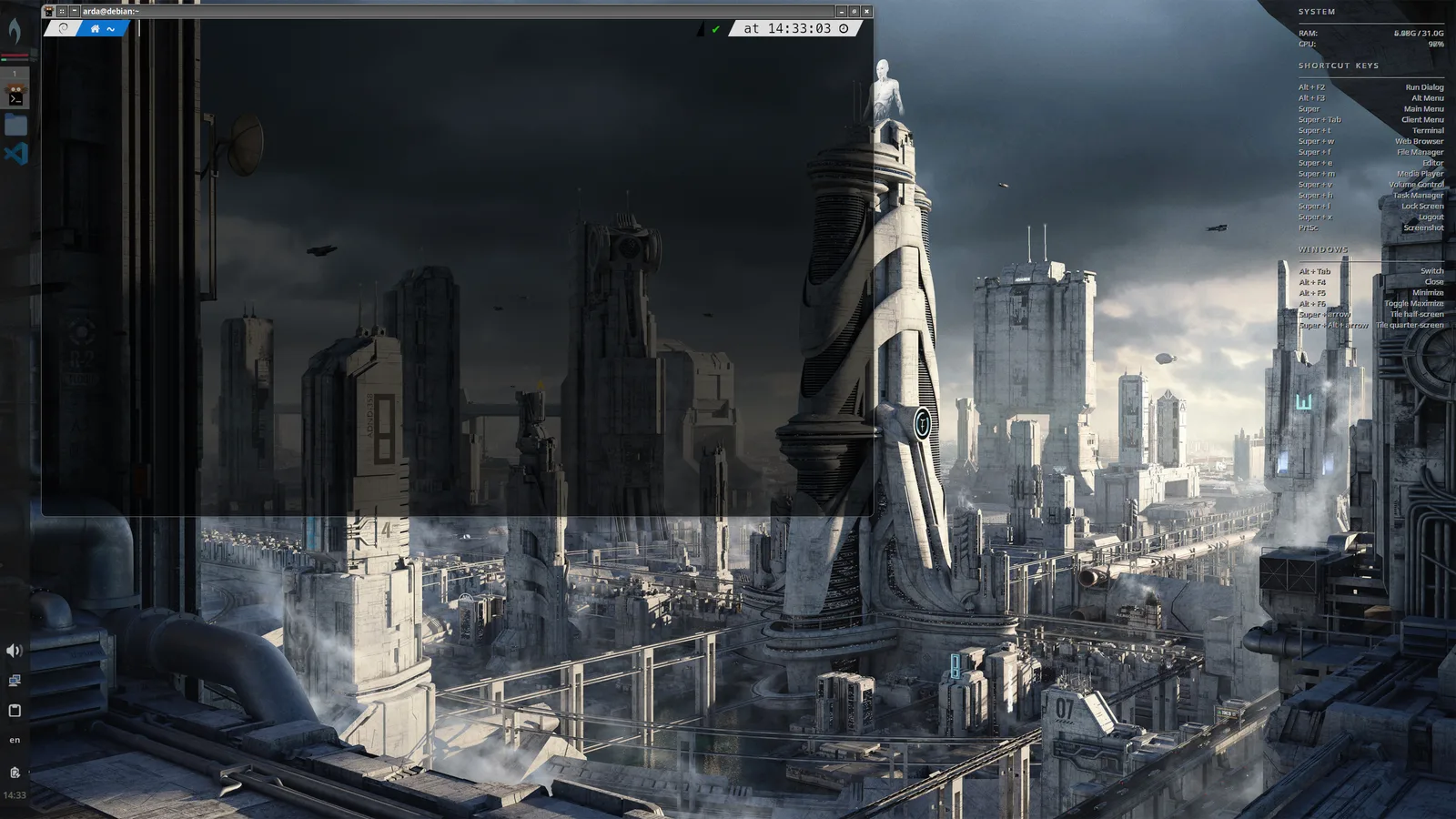
From there, Bunsen became a pleasure project:
- Nerd Font installed for a proper Powerlevel10k prompt
- Kitty made the default terminal
- terminal font size and transparency tuned
- jgmenu enlarged and cleaned up
- top-level menu entries added for Chrome, VS Code, Antigravity, and Docker Desktop
- wallpaper rotation set up from a shared sci-fi wallpaper pool
This part was not strictly necessary for “system correctness,” but it mattered. A machine is not really set up when it is merely functional. It is set up when using it stops irritating you.
Audio, Docker, Tailscale, and the Miscellaneous Real World
The Audeze Maxwell USB dongle was another example of how multiboot setups fail in small, stupid ways.
On Bunsen, the audio would crackle under CPU load. The fix turned out to be a combination of installing RTKit and increasing PipeWire/WirePlumber buffering for that specific device. On CachyOS, the audio stack was newer and behaved much better out of the box. That comparison was useful because it separated “headset is broken” from “this distro’s real-time audio stack needs help.”
Docker Desktop on Bunsen also needed more work than it should have:
- package/plugin conflicts had to be resolved
- the actual working Docker context turned out to be
desktop-linux, notdefault - keyring startup had to be corrected so desktop auth flows would stop behaving strangely
Tailscale was another subtle one. I had already written about setting it up on the network side in How I used AI to enhance my home network, but making it behave cleanly across multiple Linux installs on the same laptop was a different problem. A shared-home multiboot machine can act as one Tailscale identity across several distros, but only if you are deliberate about what you share. Sharing the entire /var/lib/tailscale directory is sloppy. Sharing the canonical state carefully is workable. That distinction matters.
The network side ended up nicely polished by the end:
- Synology NAS reachable by LAN and MagicDNS
- Windows machine bookmarks added
- file manager browsing made convenient instead of ceremonial
These details sound small until you live without them.
What I Learned
If I had to reduce the whole operation into a few rules, they would be these:
1. Share identity, not assumptions
UID/GID parity is non-negotiable. After that, every shared file should be treated with suspicion until proven portable.
2. Do not share secrets just because you can share config
Shared app settings are usually fine. Shared keyrings and secret stores are not. Re-authenticating on each distro is less elegant, but far safer.
3. Use one toolchain model, but keep runtimes per distro
This is the right compromise for languages and developer tools.
4. Let each OS own its own boot handoff
Chainloading distro-native EFI loaders is less clever than a single hyper-abstract boot entry, but it is more reliable.
5. The final 20 percent is all ergonomics
Fonts, menus, wallpapers, terminals, audio device profiles, display quirks, network bookmarks, power behavior: this is the difference between “technically configured” and “actually pleasant.”
By the end, Bunsen had gone from the least reliable install on the machine to one of the most satisfying to use:
Final State
By the end of the day, the machine was no longer just a risky experiment.
It had become a coherent triple-boot workstation:
- CachyOS for the main performance-oriented daily workflow
- BunsenLabs as a lightweight, highly tuned desktop I genuinely enjoy using
- Bazzite as the gaming environment
- one shared home, but with cleaner boundaries
- one development-tooling model
- one Tailscale identity plan
- one sane external-monitor workflow
There are still things to validate and refine. A setup like this is never really “done.” But it has crossed the line from fragile curiosity into something I would trust as a real machine.
And honestly, that is the part I enjoy most: not merely installing Linux, but forcing a chaotic pile of defaults, firmware entries, audio daemons, shell files, and desktop assumptions into a system that finally feels like mine.
related entriesshared tags