Introducing Vigil.Today
A lightweight PWA for recurring daily reminders — the kind of stuff too small for your calendar, but too easy to forget.
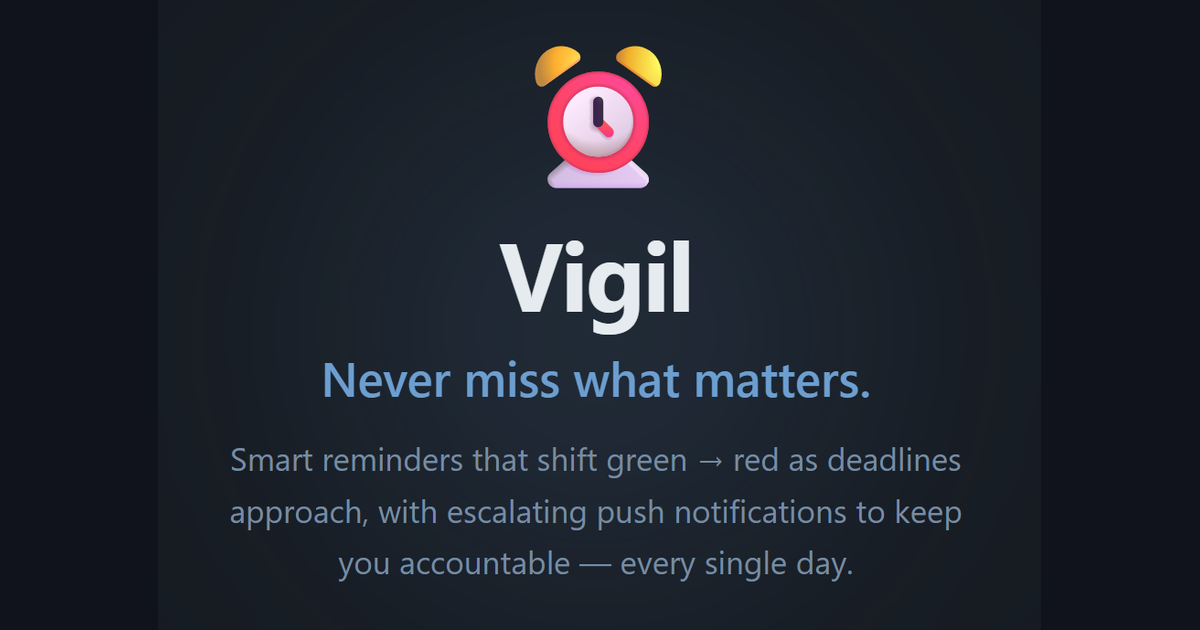
There’s a category of things in my life that are too small to put on a calendar but too easy to forget: taking my supplements, getting my workouts in, doing a walk. These are recurring tasks with no fixed appointment time — I just need to remember to do them at some point during the day.
Google Calendar felt like overkill. Setting up a repeating event for “take supplements” at 9am, having it ring like a meeting reminder, feels wrong. Task managers didn’t quite fit either — they’re usually list-based and don’t communicate urgency well. I wanted something more like a widget: always visible, glanceable, and color-coded to tell me how I’m doing at a glance.
So I built Vigil.Today.
What It Does
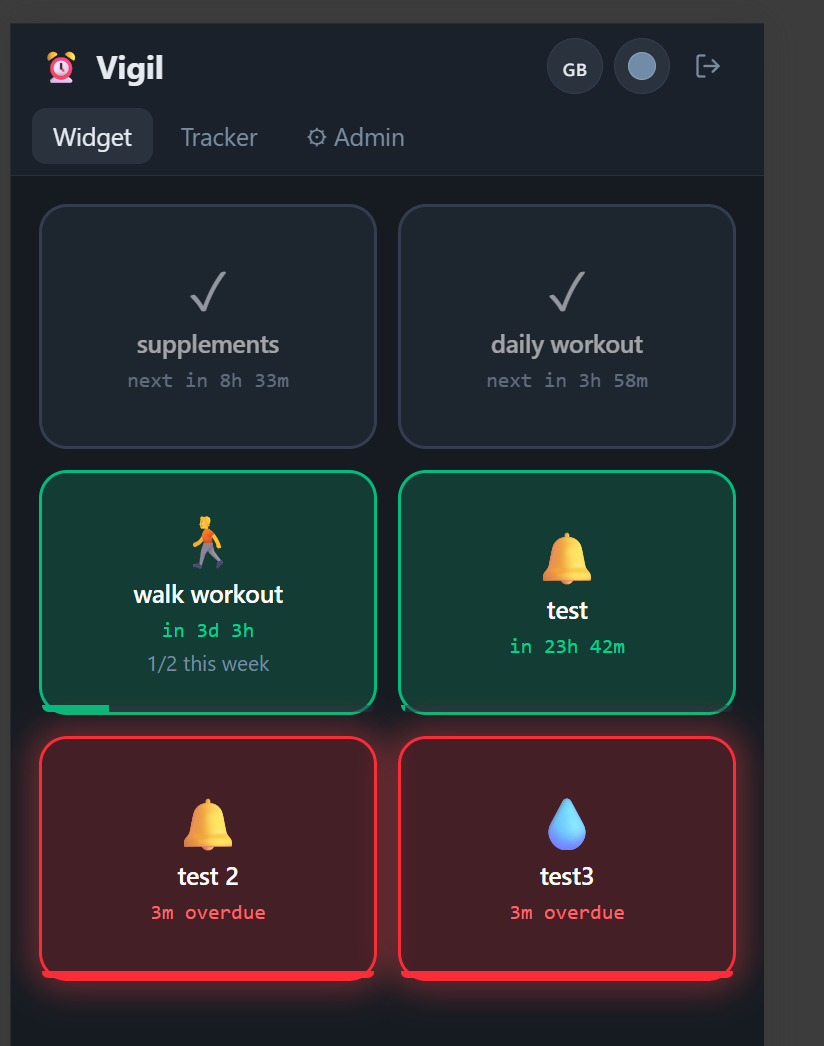
Vigil is a reminder app built around the concept of recurring tasks with deadlines that reset. You set up a reminder — say, “daily workout, every 24 hours” — and the app tracks when you last completed it and when the next one is due. The entire UI is a grid of reminder cards that shift color as time passes:
| Color | Meaning |
|---|---|
| Gray (✓) | Completed, nothing to do |
| Green | Plenty of time remaining |
| Yellow | Getting close |
| Orange | Urgent |
| Red (pulsing) | Overdue |
This visual language is immediately readable. One look at the widget and you know exactly where you stand. The pulsing red border on overdue items adds a satisfying urgency without being obnoxious.
Schedule Types
There are four ways to schedule a reminder:
- Every X hours — Ideal for recurring things like supplements or hydration. It resets X hours after your last completion.
- Once daily at a fixed time — For things that must happen at a specific moment.
- X per week — Great for workouts where you have a weekly target but flexibility on which days.
- Weekly — A once-per-week cadence that resets on a fixed day.
Completion Tracker
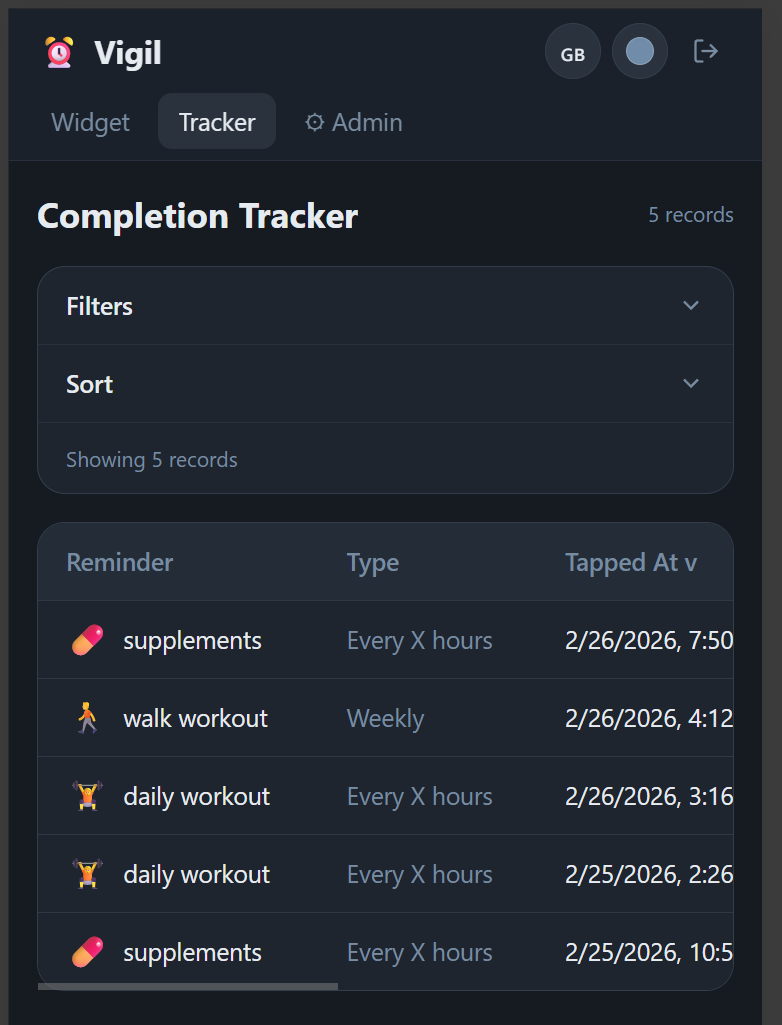
Every time you tap a reminder to mark it done, the event is logged with a timestamp. The Tracker tab surfaces this history in a filterable, sortable table. You can see your completion patterns over time — how consistently you’re hitting your workouts, when you’re taking your supplements, where the gaps are.
It’s not a full-on habit tracker with streaks and stats, but having the raw log is surprisingly useful.
Managing Reminders
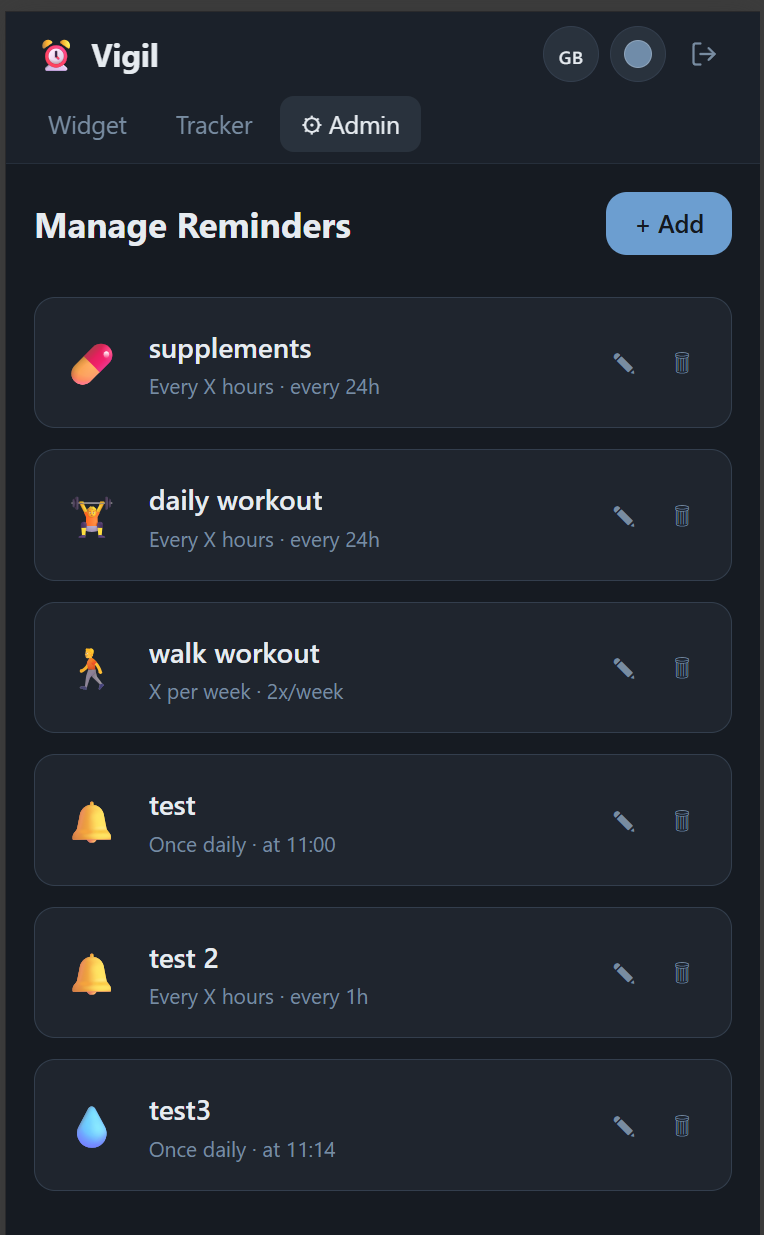
The Admin tab lets you create, edit, and delete reminders. Each one gets an emoji, a name, and a schedule type. Changes take effect immediately — the nextDueAt timestamp recalculates on the spot so you’re not waiting for the next cycle to see updated behavior.
Push Notifications
Vigil has escalating push notifications. If a reminder goes overdue and you haven’t tapped it, the app sends you a push at 15, 30, and then 45 minutes overdue. The escalation only advances after a successful delivery — it doesn’t pile on if your device was offline.
This is handled by a Cloud Function that runs every minute, queries all overdue reminders across all users, and fires FCM messages where appropriate. The service worker on the client side receives these and surfaces them as native notifications even when the tab is closed.
Installable PWA
Vigil is a full PWA — you can add it to your home screen on iOS or Android and it behaves like a native app. The reminder widget is designed to feel like something you’d have pinned somewhere in your day, not a website you open intentionally.
Tech Stack
Under the hood:
- Frontend: SvelteKit 2 + Svelte 5, TypeScript, Tailwind CSS v4
- Auth: Firebase Auth (Google Sign-In)
- Database: Cloud Firestore with real-time listeners
- Push Notifications: Firebase Cloud Messaging (FCM)
- Backend: Cloud Functions v2 + Cloud Scheduler (runs every minute)
- Hosting: GitHub Pages (frontend), Firebase (functions + Firestore)
The real-time sync is a nice touch — if you complete a reminder on your phone, it reflects immediately on any other open tab or device. Firestore makes this straightforward.
Why I Built This
Partly to scratch my own itch, partly to keep building things. I have a habit of shipping small, focused tools that solve one problem well. Vigil does exactly one thing: it tells me what I need to do today and how overdue I am on doing it. Nothing more.
It’s been running for a few weeks now and I’ve found it genuinely useful for keeping the low-level maintenance tasks of being a functional human being on track.
related entriesshared tags