The clock that tells me Claude is waiting
- iot
- home-assistant
- mqtt
- esp32
- nixie-clock
- elekstube
- soundcore
- bluetooth
- reverse-engineering
- claude-code
- homelab
A faux-nixie clock and a Bluetooth alarm speaker, neither of them smart. By lunchtime the clock showed my Claude sessions' alerts from any machine, the speaker read them out loud, and both had full control panels in Home Assistant, one of them from a protocol we sniffed off my phone.
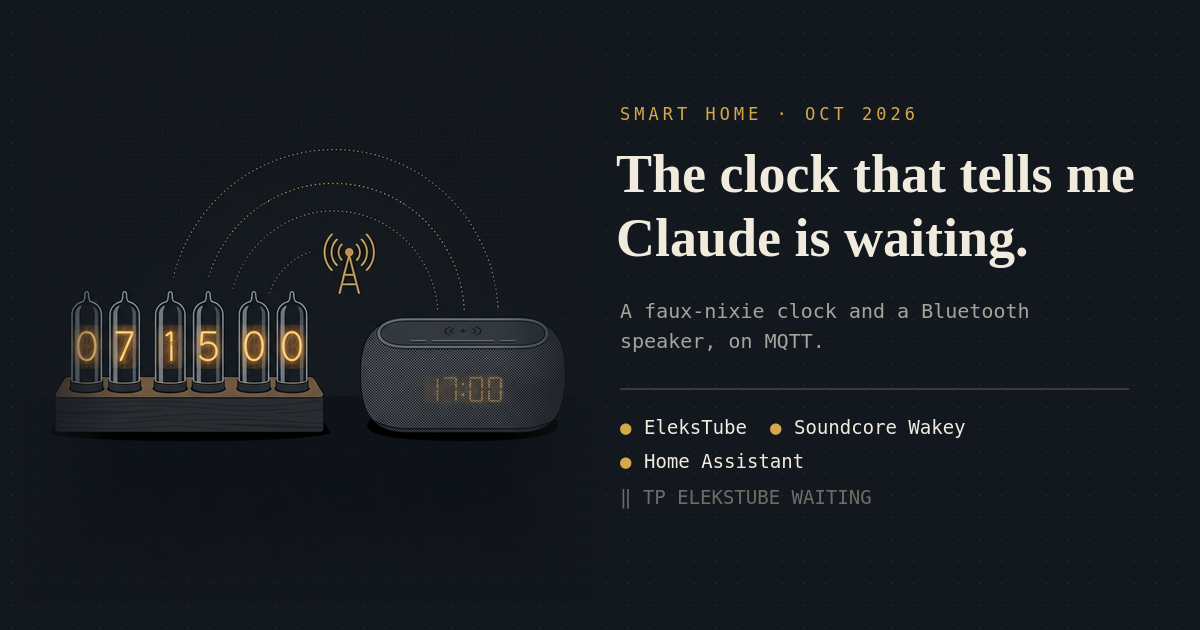
There are two clocks in my room. One is an EleksTube IPS, a faux-nixie clock: six glass tubes that look like nixies, with small LCD panels inside instead of glowing wire. The other is an Anker Soundcore Wakey, a Bluetooth speaker that is also an alarm clock, an FM radio and a Qi charger. Neither of them was smart. Both of them just told the time.
Now the nixie clock shows TP ELEKSTUBE WAITING when a Claude session on the
ThinkPad needs me, and the Wakey says “ThinkPad. elekstube is waiting for you.” in
a calm voice. Both have full control panels in Home Assistant. One of those panels
exists because we sniffed the protocol off my phone.
It started last night with a USB device I didn’t recognise, and it was done by lunchtime.
What is this thing on my dock?
I plugged the clock into the Anker dock and asked Claude what had just appeared. A CH340 USB-serial chip, it said, the kind that sits in front of cheap ESP32 boards. That made it an EleksTube IPS Gen1: an ESP32 with 4 MB of flash, six 135×240 IPS panels behind the glass, a battery-backed RTC, RGB backlight LEDs and four buttons. Any panel can show any image. The digits are just the firmware’s opinion.
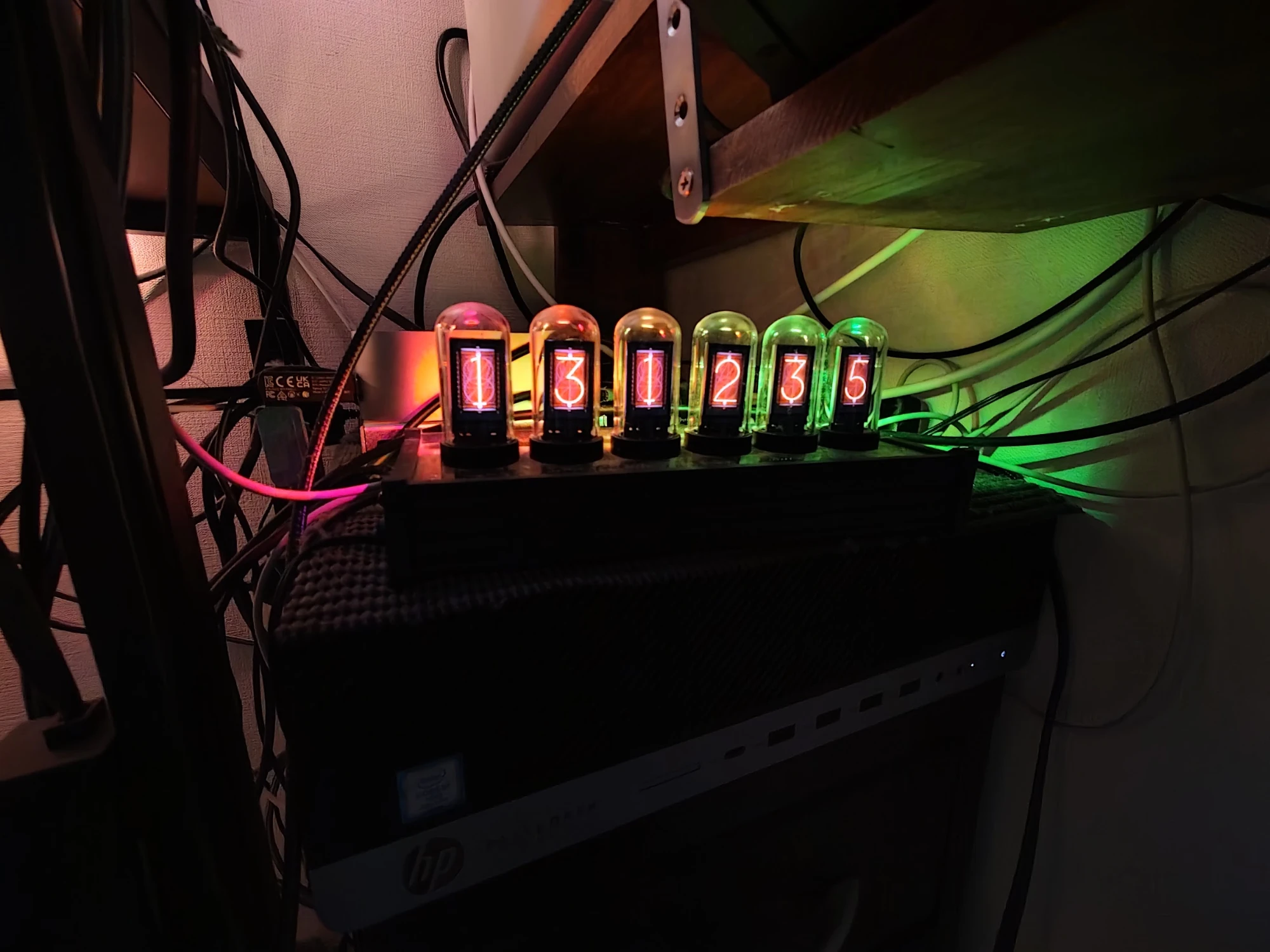
Two things to know about Gen1 before touching it:
- The stock firmware is locked to the board’s MAC address. Someone else’s backup won’t run on yours. So the first thing we did was dump the full 4 MB flash with esptool, check its partition table, and copy it to the NAS. It is the only way back to stock.
- Gen1 feeds 5 V from the CH340 into the ESP32’s serial pins, which can eventually kill the chip. The community fix is a trace cut and a jumper wire to 3.3 V. Claude found me the photos of exactly where to cut. It is still on my to-do list.
The Gen1 pinout, including the shift register that picks which tube is being drawn, comes from Frank Cohen’s EleksTubeIPSHack.
A notification bus, from a fork
The community firmware is EleksTubeHAX:
NTP time, up to eight clock faces, night dimming, and MQTT with Home Assistant
discovery, built with PlatformIO. What it can’t do is
show text. So I
forked it and we
added a notify topic:
- A plain payload like
DOORshows for 10 seconds, one character per tube, in nixie orange. Anything longer than six characters scrolls. - A JSON payload sets the rest:
{"text":"NEW MAIL","duration":20,"color":"#00A0FF"}. An empty one clears it. - It also shows up in Home Assistant as a
notifyentity.
The broker is Mosquitto, which I added to the Home Assistant stack on the NAS. The
senders use a notifier account that can publish to the notify topics and
nothing else.
Then came the part I actually wanted. Here is the use case I described: I’m working on the Mac mini, and a Claude session on the ThinkPad is sitting there waiting for me. I don’t want to keep walking over to check.
So now every machine has notify-bus, a small standard-library Python script, and
Claude Code’s Notification hook calls it. When a session needs input, the clock
shows TP ELEKSTUBE WAITING or TP ELEKSTUBE NEEDS OK: the machine’s short label,
the project, and what it wants. The ThinkPad, the desktop and the Mac mini all
publish to it, and anything else can too: notify-bus "BUILD OK" from any shell.
Clock faces, including two of mine
EleksTubeHAX stores up to eight face sets. The stock firmware stored its own faces somewhere else, so Claude dug them out of the firmware dump: the stock retro nixie, the pink “punk” set, and a white 7-segment set I had uploaded through the EleksTube app at some point. The stock nixie’s 0 had 13 rows of garbage along its bottom edge, which got repaired from another digit’s identical tube background.
Choosing eight out of forty-odd sets by staring at file names is no fun, so I got a small local web page: a contact sheet of every face, the installed ones preselected, click to add or remove, submit a lineup. Converted to 256-colour BMPs, all eight fit in 84% of the storage, with no visible banding in the nixie glow.
Two of the eight are new. I asked for faces inspired by my bands, using the art on my NAS:
- Pagan: angular bone-white digits with downward thorns and rough inked edges, like the logo, over a faint inverted crop of the Acolytes engraving with an ember glow.
- The Seventh Shadow: built from the Alienation by Design cover and its violet haze.
They show up in Home Assistant’s face dropdown next to the stock nixies. Picking my black metal band’s face for a clock from a dropdown is not a thing I expected to do this week.
Then the WiFi died
After the faces went up, the clock wouldn’t come back online. It kept looping on two errors: “no access point found”, and “authentication timed out”.
The obvious suspect was the upload, but Home Assistant’s history said otherwise: the clock had gone unavailable ten minutes before it. We worked down the list anyway. A wall charger instead of the dock, in case the WiFi radio was starving for current. A router restart, in case the router had decided to ignore it. An NVS erase, in case the radio calibration data was corrupted. Nothing worked.
What finally explained it was a measurement: even at my laptop, the router’s 2.4 GHz signal was only 39%. The clock could just about hear the router, and couldn’t finish a handshake.
The fix sits right next to it. The Mac mini is on Ethernet, so macOS Internet Sharing turned its WiFi into a hotspot. Before re-flashing anything, I had Claude test that hotspot from the ThinkPad’s spare WiFi radio: -39 to -48 dBm, Mosquitto reachable through it, over 100 Mbit/s down. Then the clock got the hotspot’s credentials, connected straight away, and has been on it since. Since it only ever makes outgoing connections, being behind the Mac’s NAT costs it nothing.
It also means most of the WiFi gadgets in my room probably have the same problem. A repeater is on the list.
The Wakey: a speaker that speaks
The Wakey has no WiFi, and nobody has written custom firmware for it. It’s a
proprietary Bluetooth audio chip, not an ESP32. It sits next to the desktop, but the
desktop has no Bluetooth adapter at the moment, so the Mac mini is its bridge: it
holds the Bluetooth connection, and a small service subscribes to a wakey/say
topic and speaks every message through the Wakey with macOS’s say. notify-bus --speak "Laundry done" puts the text on the clock and the voice in the room.
Claude’s alerts are spoken too, with each machine’s own name: “ThinkPad. elekstube is
waiting for you.”
Getting it to sound right took a few rounds:
- The first words were clipped. I heard “…for you” and “…your permission”. The Wakey’s Bluetooth link sleeps between messages and wakes up mid-sentence, so every message now starts with 2.5 seconds of silence.
- The voice. I wanted something more natural. My NAS has an edge-tts service, but it’s broken, and it would send everything through Microsoft anyway. Apple’s Premium voices are free and fully offline, so I downloaded Ava (Premium).
- The volume. 0.3 seemed too quiet, so 0.5. Then back to 0.3, then 0.1, then 0.05. With the Premium voice, that is plenty.
Then I asked for a control panel in HomeKit, and learned that Apple’s Home app has no concept of a dropdown or a text box. So the service announces itself to Home Assistant over MQTT discovery instead, as a “Soundcore Wakey” device with Voice, Volume, Lead-in silence, a Say box and a Test button.
Sniffing the Soundcore app
That covered speech. But the Wakey also has alarms, a radio and a display, and the only thing that can control them is the Soundcore app on my phone. So, can we reverse-engineer it? Yes, and the phone is the tool.
Android can log every Bluetooth packet it sends (the HCI snoop log in developer options). I did each thing in the app once, ten seconds apart: brightness lowest then highest, an alarm at 07:15, tuning 80.0 then 80.1 FM, a sleep sound. Then Claude pulled the log off the phone and decoded it.
The app talks to the Wakey over classic Bluetooth RFCOMM, channel 2. Every command
has the same shape: 08 ee 00 00 00, a group and command byte, the total frame
length, then the payload. The Wakey acknowledges everything. It’s the same framing
the OpenSCQ30 project found in Soundcore’s
headphones, which helped a lot. I couldn’t find any open-source driver or protocol
notes for the Wakey itself, so this part is ours.
For the alarm format, the clever bit was this: instead of me tapping through more experiments, Claude drove the Soundcore app on the phone itself, over USB debugging. It saved four alarms, changing one field each time, so each change landed in the log on its own: repeat days, snooze, an FM station as the tone, then Alarm Bell. That pinned down the whole alarm format.
What’s decoded:
- Clock: set the time. The app does it on every connect, and now the Mac does too.
- Display: brightness 1–5, and the display-off schedule (mine is 21:00 to 07:00).
- Alarms: time, repeat days as a Monday-to-Sunday bitmask, a built-in tone or an FM station, snooze count and minutes, and a name. The Wakey only stores one alarm; the app just overwrites it.
- FM radio: on, off, tune, and the preset list, which the Wakey only accepts while the radio is playing.
- Ambient sounds and a sleep timer.
- Volume isn’t in there at all. It is plain Bluetooth AVRCP, like any speaker.
macOS added one more surprise. Over IOBluetooth, the Wakey’s replies stay queued until the Mac sends another frame, apparently because RFCOMM flow-control credits only go out with outgoing data. Commands still take effect immediately. So after each command, the Mac sends a few harmless clock syncs to shake the replies loose.
The result is a small Swift helper that holds the RFCOMM channel on the Mac, and 21 controls in Home Assistant: speech, brightness, the display schedule, the radio, the sleep sound, every alarm field, and a clock sync button. Claude also found eight FM stations for Tokyo and saved them as presets, so J-WAVE is now one tap away, and an alarm tone too.
The one thing it can’t do is put text on the Wakey’s display. None of the captured commands write to it, and finding a hidden one would mean sending unknown commands to a device that could just as easily do a factory reset. The nixie clock already shows text, so the two of them split the job: one shows, one speaks.
Two agents, one repo
All of this happened across two Claude sessions. The Wakey work started as a branch of the clock session, and the two ran side by side. At the end I asked them to agree on the repo’s final shape and commit it, and they did that between themselves: one made the commits, the other waited, then added its own refactor on top. The whole thing lives in a local repo, backed up to the NAS together with the stock firmware dump. The firmware fork is public.
This is the same story as the desk setup: the things around me were never the problem. Getting them to talk to each other was. I set up my home network with AI last year, and this is the first time the gadgets on it say something back.
So now, when Claude on the ThinkPad is waiting for me, the nixie clock says so, and the speaker next to my desktop says it out loud, in the voice of someone called Ava, at five percent volume.