I put Wikipedia, Stack Overflow and the Amiga Hardware Reference Manual on my NAS, for my agents
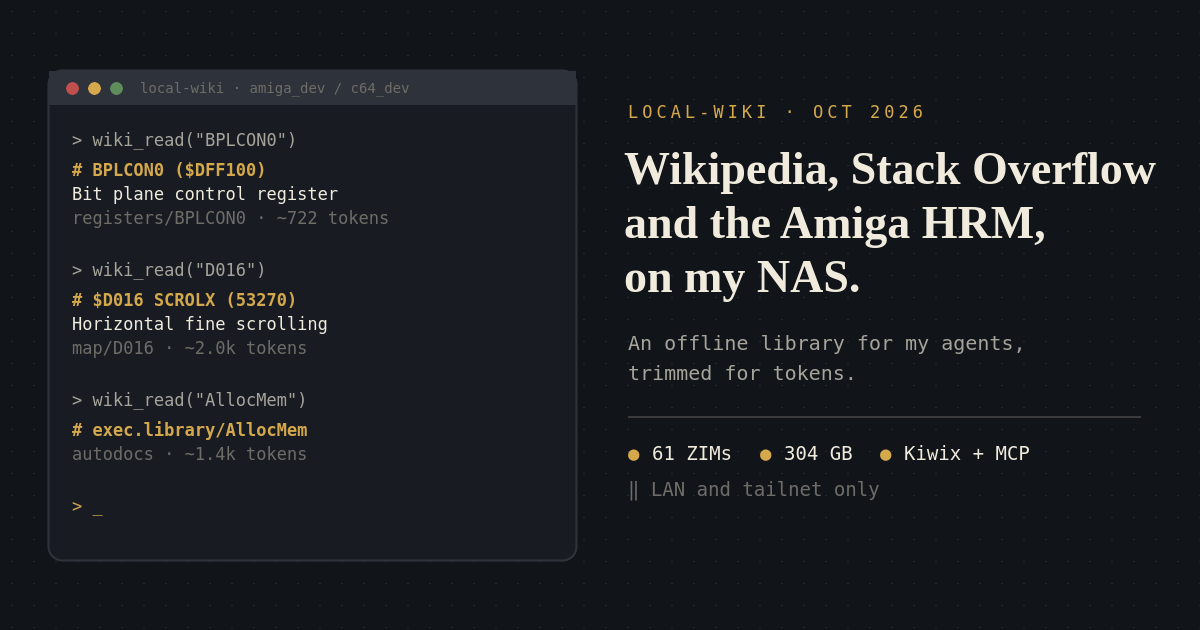
Agents don't need the open web so much as a good offline library. local-wiki puts Kiwix ZIM files behind an MCP server on my Synology, trims every page down for tokens, and has private Amiga and C64 shelves where asking for BPLCON0 or D016 opens the right page.
My agents look things up all day. Most of the time that means the open web: a search, a page of ads and cookie banners, three SEO copies of the same answer, and a few thousand tokens of navigation before the paragraph they actually needed.
For a lot of what they ask, they don’t need the open web at all. They need a good library. An encyclopedia, the Stack Overflow archive, the language docs, and for my retro work, a shelf of 40-year-old manuals. All of that fits on a NAS.
So that’s what I built. It’s called local-wiki, and it runs on my Synology.
A library made of ZIM files
Kiwix publishes offline copies of Wikipedia and many other sites as single ZIM files. Mine currently has 61 of them, 304 GB in total:
- Wikipedia in English, Japanese and Turkish. The English one alone is 21.7 million articles and 119 GB, with images.
- Stack Overflow: 30.6 million pages, 107 GB. Plus Super User, Server Fault, Ask Ubuntu, Unix & Linux, Electronics, Raspberry Pi, Arduino, DIY, and Japanese Language.
- DevDocs for the languages and tools I actually use: Python, Go, Rust, C, C++, JavaScript, TypeScript, Dart, Godot, Docker, nginx, PostgreSQL, SQLite and more.
- Wiktionary, Wikivoyage, iFixit, MDWiki and a few survival and self-reliance collections, because if I’m keeping an offline library anyway, it might as well be useful the day the internet isn’t.
On the NAS it is three containers: kiwix-serve for browsing in a normal browser,
with images and full-text search; a small Python MCP server; and nginx in front of
both. Dropping a new ZIM into the folder is enough: both servers pick it up within a
minute.
For agents there are three tools: wiki_search, wiki_read and wiki_sources. There
is also a plain-text HTTP API with the same output, and an llms.txt that explains it
to any model that finds its way there.
Tuned for tokens
The point isn’t just to be offline. It’s to give the agent the content and nothing
else. wiki_read returns compact Markdown, and it throws away everything a model
doesn’t need:
- Citations, reference lists, navboxes, edit links and maintenance banners are stripped, along with the References, Notes and External links sections.
- The infobox becomes short
Key: valuelines. Images become[Figure: caption], and math becomes TeX. summary=truereturns the infobox, the lead and a numbered outline with section sizes. The agent can then read only the section it needs.- Stack Exchange pages come back as the question, its tags, and the answers, with the accepted answer first and the rest by score. User cards and comments are left out.
- Long pages stop at a paragraph boundary and say which offset to continue from.
Some real numbers, from my NAS today:
| Page | Raw HTML from Kiwix | wiki_read | summary=true |
|---|---|---|---|
| Wikipedia: Commodore 64 | 445 KB | 62 KB (~17k tokens) | 5.4 KB |
| Wikipedia: Amiga 500 | 204 KB | 24 KB (~6k tokens) | 3.5 KB |
| Stack Overflow: the sorted-array branch prediction question | 387 KB | 62 KB (~16k tokens) |
For the Commodore 64 article, the summary is about an eightieth of the HTML. It still has the release date, the price, the CPU, the chips and the units sold, because the infobox is the part that survives. The famous Stack Overflow question comes back with the 35,000-point accepted answer as “Answer 1”, right after the question, which is exactly where an agent should start reading.
Every read also says roughly how many tokens it is, in the header, so an agent can decide whether to read the whole page or ask for the summary first.
The fun part: Amiga and C64 shelves
The public ZIMs are useful. The private ones are the reason I built this.
I make games for the Amiga and the C64: Heliobane and Mass Fraction have Amiga ports, and Hexwarren has a C64 one. The answers to my agents’ questions there aren’t on Stack Overflow. They are in manuals: the Amiga Hardware Reference Manual, the ROM Kernel Manuals, the Autodocs, Mapping the Commodore 64, the VIC-II datasheets. Some of them I only had as PDFs, and some only as scans.
So tools/build_retro_zims.py builds two more ZIMs from my reference folders:
amiga_dev: the HRM split by section, one page per custom register with its AGA notes linked, the RKM Developer CD, the NDK 3.2 Autodocs one function per page, the 68k, vasm and vlink manuals, HowToCode, and my own measured notes from the Heliobane and Mass Fraction ports. The scanned books were OCR’d and kept by PDF page.c64_dev: Mapping the C64 one address per page, all of Codebase64 with its wiki links converted so they actually work, All About Your 64, the Programmer’s Reference Guide, the VIC-II and chip datasheets, 64doc, Graham’s opcode tables, No More Secrets, Cadaver’s articles, and the Oscar64 and VICE docs.
The trick that makes them pleasant is that exact names open the right page. An agent working on a copper list doesn’t search for “bitplane control register”. It asks for the register:
wiki_read("BPLCON0", source="amiga_dev")
# BPLCON0 ($DFF100) Bit plane control register (misc. control bits)
source: amiga_dev | path: registers/BPLCON0 | ~722 tokens

wiki_read("D016", source="c64_dev")
# $D016 SCROLX Horizontal Fine Scrolling and Control Register (53270)
source: c64_dev | path: map/D016 | ~2.0k tokens

wiki_read("AllocMem", source="amiga_dev")
# exec.library/AllocMem
source: amiga_dev | path: autodocs/exec.library.AllocMem | ~1.4k tokensBPLCON0, FMODE, AllocMem, exec.library/AllocMem, D016 and 53270 all land on
the right page. That’s the difference between an agent guessing at a bit layout from
memory and an agent reading the bit layout.
Since then, an X68000 shelf has joined them, for the same reason.
Topic wikis, with their own endpoints
Once the builder existed, it was easy to point it at other parts of my library. Each of these is a small ZIM of books plus distilled notes, and each gets its own MCP endpoint with its own tool names:
- Audio engineering at
/audio/mcp, for my agentic DAW: mixing, mastering, routing, loudness standards and sound design. Its notes are numbered principles with citations, so an agent can write “eq.md P3” instead of an opinion. - Game design at
/game-design/mcp: economy, progression, balance, difficulty, level design and playtesting. - UI/UX design, AI engineering, software architecture and operations, electronics and maker, the Godot and Blender manuals, survival and self-reliance, and the archive of my band Pagan.
It is the same idea each time. A focused shelf, a narrow tool, and the agent reads the book instead of improvising the answer.
The honest limits
- The manuals are copyrighted. The HRM, the RKMs, Mapping the C64 and the books in the topic wikis are not mine to share. Those ZIMs stay on my private network and are never published, and the repo is private.
- There is no login. The hostname only resolves inside my own network: AdGuard rewrites it to the NAS’s Tailscale address, as in my home network setup. Anything that can reach it is a machine I already trust. That’s a deliberate trade-off, and it is also the reason this can’t simply be put on the internet.
- It’s a snapshot. English Wikipedia is from August, Stack Overflow from July. The instructions tell agents to check the web for anything recent. An offline library is for what’s settled, not for this week’s news.
- Updates are manual. A new ZIM is one line in a download queue, and the old one gets deleted afterwards. It’s easy, but nobody does it for me.
None of this replaces web search. What changed is the default. My agents now go to the library first and the web second, and the library answers most of the time, in a fraction of the tokens, from a box in the next room.